
kalab
Gözlemci
- Katılım
- 6 Ocak 2026
- Mesajlar
- 1
- Tepkime puanı
- 0
- Puan
- 1

Hack The Box: Crocodile Writeup (Starting Point)
Introduction
Crocodile is a Tier 1 machine on Hack The Box’s Starting Point track. This machine is an excellent example of how misconfigured file transfer services (FTP) can leak sensitive credentials, leading to the compromise of administrative web dashboards. In this writeup, I will guide you through the enumeration process, answer the specific challenge tasks, and capture the root flag.Phase 1: Enumeration & Nmap
We start by scanning the target IP address to identify open ports and services.Command:
nmap -sC -sV 10.129.52.118
Press enter or click to view image in full size
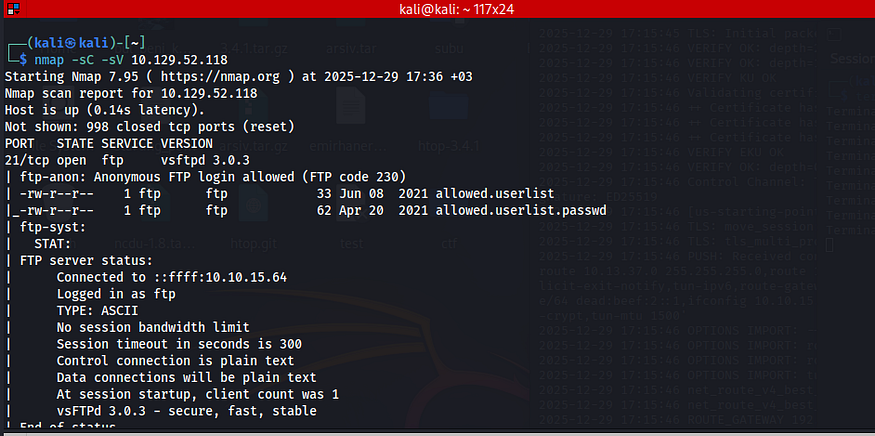
Findings:
- Port 21 (FTP): Running vsftpd 3.0.3. The scan confirms Anonymous FTP login allowed.
- Port 80 (HTTP): Running Apache httpd 2.4.41.
Task 1: What Nmap scanning switch employs the use of default scripts during a scan? Answer: <em>-sC</em> Explanation: As seen in my command, -sC runs default scripts which helped identify the anonymous FTP login.
Task 2: What service version is found to be running on port 21? Answer: <em>vsftpd 3.0.3</em> Source: Nmap output.
Task 3: What FTP code is returned to us for the “Anonymous FTP login allowed” message? Answer: <em>230</em> Source: Nmap output explicitly shows "(FTP code 230)" next to the login allowed message.
Task 7: What version of Apache HTTP Server is running on the target host? Answer: <em>2.4.41</em> Source: Nmap output on port 80.
Phase 2: FTP Exploitation
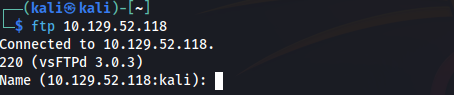
Since anonymous login is allowed, we can connect to the FTP server without a valid personal account.Command:
ftp 10.129.52.118
When prompted for the Name, I entered anonymous. For the password, I simply pressed Enter.
Once connected, I listed the files and found allowed.userlist and allowed.userlist.passwd. I used the get command to download them.
Press enter or click to view image in full size
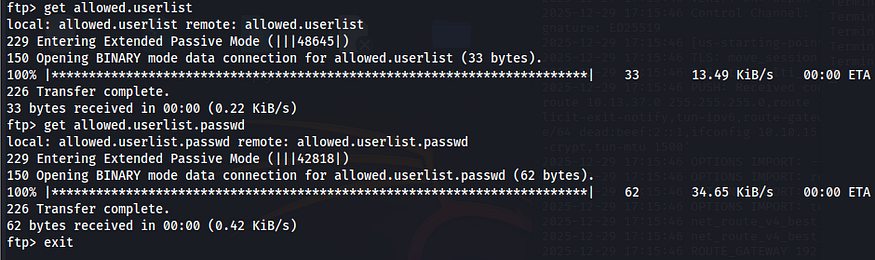
Task 4: What username do we provide when prompted to log in anonymously? Answer: <em>anonymous</em>
Task 5: What command can we use to download the files we find on the FTP server? Answer: <em>get</em>
Phase 3: Credential Analysis
I inspected the downloaded files on my local machine using cat.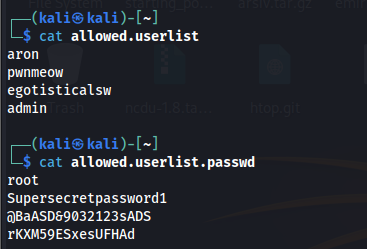
The files revealed a list of users and passwords. One user stood out immediately as a high-value target.
Credentials Found:Task 6: What is one of the higher-privilege sounding usernames in ‘allowed.userlist’? Answer: <em>admin</em> Source: The file content lists 'admin' as the last entry.
- User: admin
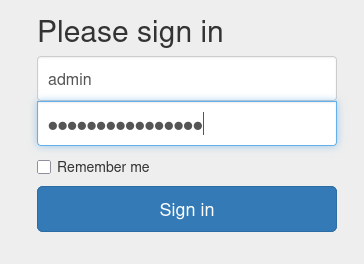
- Password: rKXM59ESxesUFHAd
Phase 4: Web Enumeration & Access
Now that we have credentials, we need a place to use them. The web server on port 80 is the likely target. While we can manually guess common pages, tools like Gobuster help identify specific files.I navigated to http://10.129.52.118/login.php and used the credentials found in the FTP server.Task 8: What switch can we use with Gobuster to specify we are looking for specific filetypes? Answer: <em>-x</em> Explanation: For example, gobuster dir ... -x php,html looks for specific extensions.
Task 9: Which PHP file can we identify with directory brute force that will provide the opportunity to authenticate to the web service? Answer: <em>login.php</em> Observation: Navigating to the web root redirects or reveals the login page.
Conclusion: Getting the Flag
The login was successful! I was redirected to the Server Manager dashboard where the root flag was displayed.Press enter or click to view image in full size
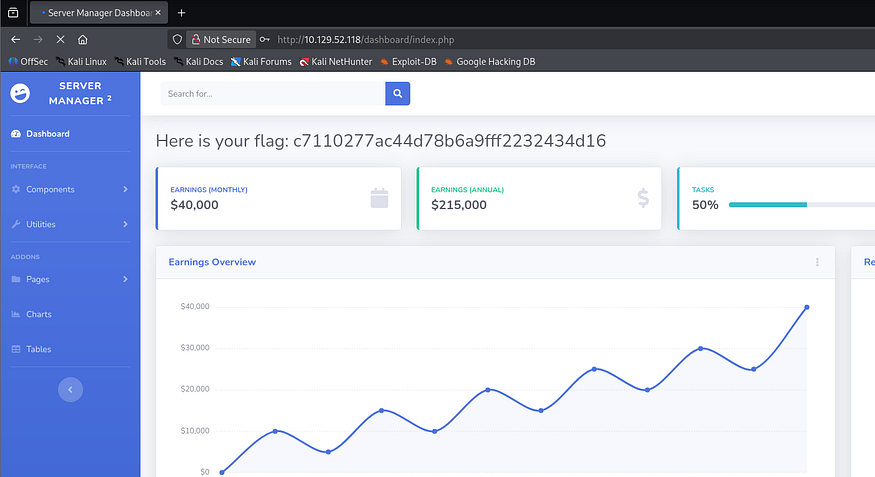
Submit Flag: c7110277ac44d78b6a9fff2232434d16